
Adobe Acrobat Sign Pricing (2026): Plans, Costs, and Hidden Limits
Adobe Acrobat Sign Pricing (2026): Plans, Costs, and When a Free Alternative Is Enough
Summary of the Article
Adobe no longer sells a cheap standalone e-signature plan to small businesses. E-signing comes bundled into Acrobat plans (Standard, Pro, or Studio, for individuals or teams), while the standalone Acrobat Sign Solutions product is priced only through Adobe's sales team.
- Acrobat Standard (individual): $14.99/month on an annual plan billed monthly, $179.88 prepaid, or $24.99 month to month.
- Acrobat Pro (individual): $19.99/month annual, $239.88 prepaid, or $29.99 month to month.
- Acrobat Studio (individual): $24.99/month annual, $299.88 prepaid, or $34.99 month to month.
- Teams plans: $16.99, $23.99, or $29.99 per license per month, annual only.
- Acrobat Sign Solutions: no public price. You request a quote.
- There is no free-forever Adobe plan, only trials (more on that below).
Pick your path by your main constraint:
- SignFree: free, unlimited signing for one-person businesses; covers NDAs, client contracts, and proposals with audit trails and no annual contract.
- Acrobat Standard, Pro, or Studio: published prices from $14.99/month; the right buy when you want PDF editing and signing in one subscription.
- Acrobat Sign Solutions: quote-only; built for advanced compliance, signer authentication, and enterprise integrations.
The rest of this page shows the numbers, the hidden limits, and a decision path by reader type.
How Adobe sells e-signatures in 2026
"Adobe Acrobat Sign" is two different products, and that is why the pricing feels confusing.
First, e-signature is a feature inside Acrobat plans. When you subscribe to Acrobat Standard, Pro, or Studio, you can fill, sign, and request signatures, then track responses. This is the path individuals and small teams buy from Adobe's website.
Second, there is Acrobat Sign Solutions, a standalone business product. It adds enterprise integrations (Salesforce, Microsoft 365, Workday), SSO, and advanced signer authentication. It has no published price. You contact Adobe's sales team for a quote.
Prices below are USD list prices checked in November 2026 on Adobe's official plans and pricing pages and cross-checked against independent 2026 pricing guides. Adobe shows different prices by country and sometimes by promotion, so confirm the figure at checkout before you buy.
Individual Acrobat plan prices: Standard, Pro, and Studio
Individuals pick from three Acrobat plans and three billing options:
| Plan | Annual, billed monthly | Annual, prepaid | Month to month |
|---|---|---|---|
| Acrobat Standard | $14.99/mo | $179.88/yr | $24.99/mo |
| Acrobat Pro | $19.99/mo | $239.88/yr | $29.99/mo |
| Acrobat Studio | $24.99/mo | $299.88/yr | $34.99/mo |
What you get at each level:
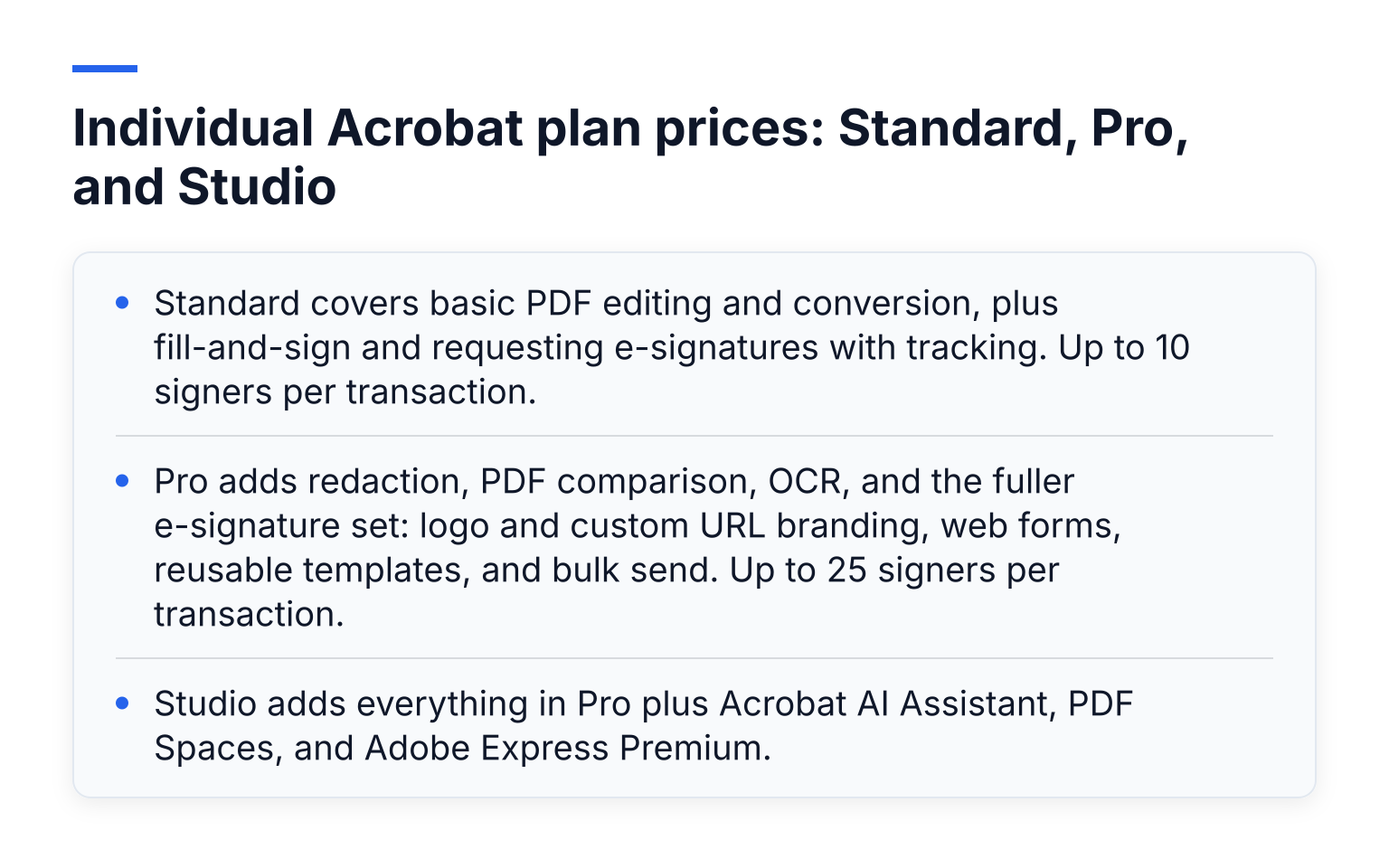
- Standard covers basic PDF editing and conversion, plus fill-and-sign and requesting e-signatures with tracking. Up to 10 signers per transaction.
- Pro adds redaction, PDF comparison, OCR, and the fuller e-signature set: logo and custom URL branding, web forms, reusable templates, and bulk send. Up to 25 signers per transaction.
- Studio adds everything in Pro plus Acrobat AI Assistant, PDF Spaces, and Adobe Express Premium.
Notice that the cheapest e-signature price ($14.99) is an annual commitment. The month-to-month Standard option costs $24.99, so flexibility costs about $10 more per month.
Teams plan prices for Acrobat
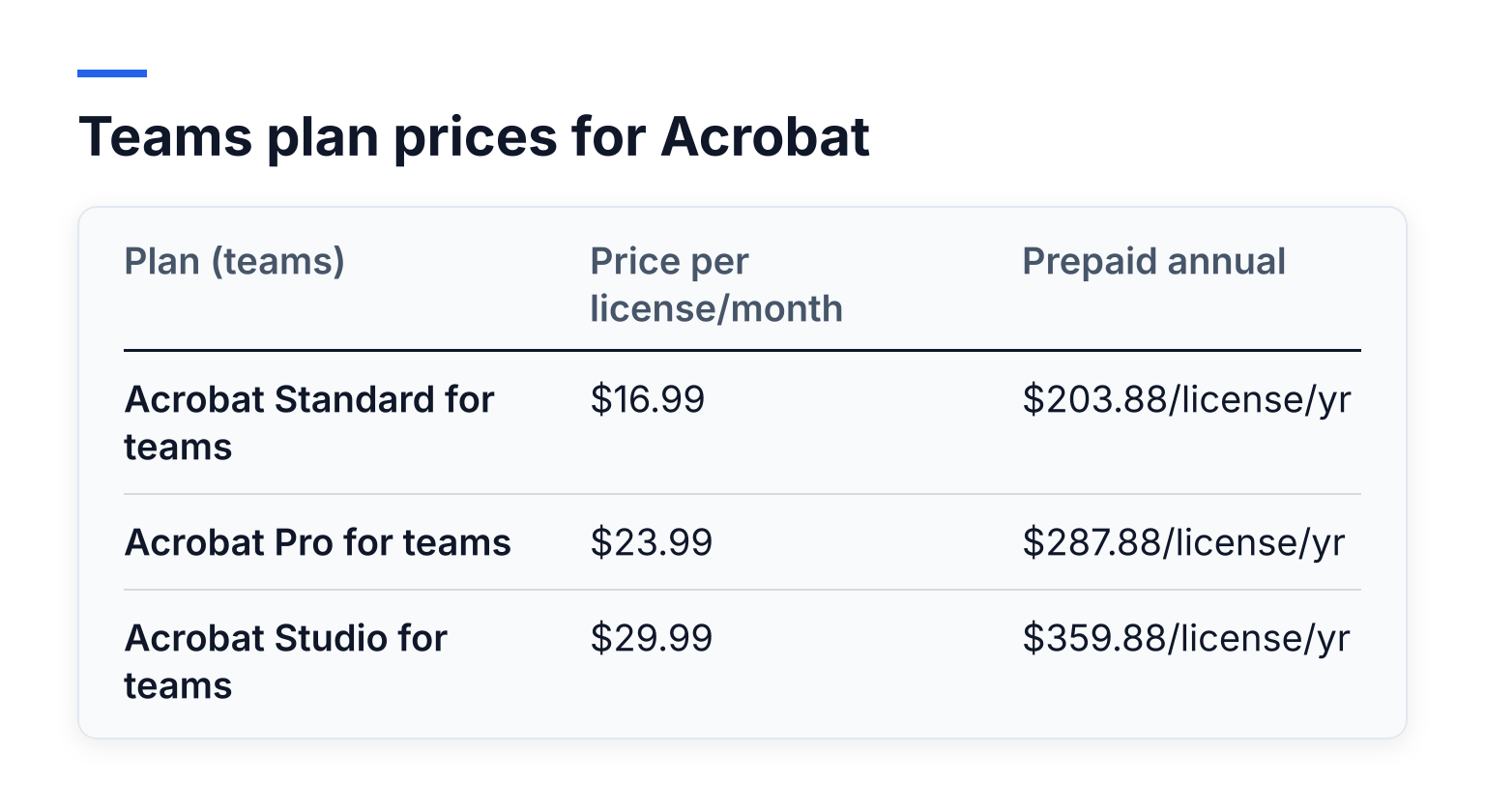
Teams plans add an admin console, centralized license management, company control of assets, and 24/7 support:
| Plan (teams) | Price per license/month | Prepaid annual |
|---|---|---|
| Acrobat Standard for teams | $16.99 | $203.88/license/yr |
| Acrobat Pro for teams | $23.99 | $287.88/license/yr |
| Acrobat Studio for teams | $29.99 | $359.88/license/yr |
Teams plans are annual only. There is no month-to-month option, and you can buy up to 10 licenses directly. Larger deployments go through sales.
Watch the cancellation fee on annual plans
The "annual, billed monthly" option is the default Adobe shows, and it is a one-year contract. Adobe's US subscription terms and refund policies state that if you cancel more than 14 days after your initial order, you pay a lump sum of 50% of the remaining contract obligation.
Example: three months into an annual Acrobat Pro plan at $19.99/month, you have nine payments left ($179.91). Half of that is about $90, due if you cancel.
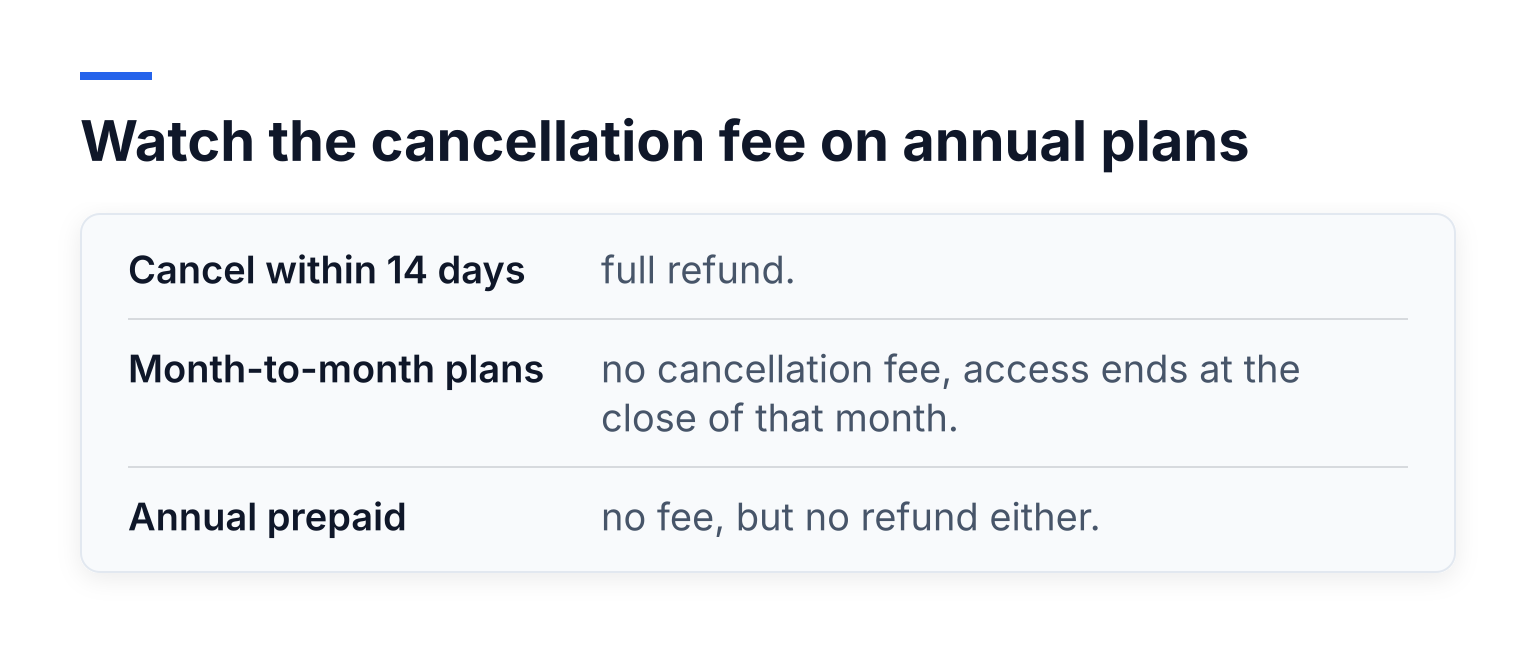
- Cancel within 14 days: full refund.
- Month-to-month plans: no cancellation fee, access ends at the close of that month.
- Annual prepaid: no fee, but no refund either.
If you might stop using the tool within a year, the month-to-month plan can be cheaper than the cancellation fee.
The limits the price tag does not show
Adobe's own transaction limits documentation lists practical caps by service level:
| Plan | Transactions per user/year | Max file upload | Pages per transaction | Signers per transaction | KBA / phone auth |
|---|---|---|---|---|---|
| Acrobat Standard (individual) | 150* | 10 MB | 100 | 10 | 0 |
| Acrobat Pro (individual) | 150* | 10 MB | 100 | 25 | 0 |
| Acrobat Sign SMB / Business (license-based) | 150 | 10 MB | 100 | 25 | 0 (50 each on VIP) |
| Acrobat Sign Enterprise | 150 | 10 MB | 500 | 25 | 50 each |
*Adobe states that "Acrobat Sign plans sold as user licenses include 150 transactions per user per year unless otherwise stipulated in your contract," and individual Acrobat plans are subject to that use limitation. Heavy senders can contact sales about volume or site licenses, but the price of extra transactions is not published.
A transaction is counted each time you send a document (or related set of documents) for signature. Bulk sends count each agreement separately, and sends made through integrations like Salesforce or the API count too.
Free trials (not a free plan)
Many people search for an "adobe sign free plan." There isn't one. Adobe offers two trials, per its trial FAQ:
- Acrobat Sign Solutions enterprise trial: 30 days, unlimited user seats, full enterprise feature set, capped at 200 transactions over the trial. No credit card required.
- Acrobat Pro trial: 7 days, single user, full Acrobat Pro features.
Both are evaluation tools. When a trial ends, you either convert to a paid plan or lose the product. Once your trial's files become inaccessible, they stay that way until you buy.
SignFree: unlimited free signing for one-person businesses
If you are a solo entrepreneur sending NDAs, client agreements, proposals, or lease documents, none of the Adobe costs above may be necessary. What you actually need is: upload a document, place signature fields, send it, track it, and keep an audit trail. That is what SignFree does on its Free plan.
SignFree is an e-signature platform built for solo entrepreneurs and lean teams. You upload a document, add signers, send it for signature, track completion, and store the signed file with an audit trail. The Free plan is unlimited for one-person businesses, and your signers do not need to create accounts. Reusable templates are included, which matters if you send the same contractor or consulting agreement repeatedly. A Pro plan adds team collaboration, SMS one-time-passcode authentication, and white-label branding.
The honest tradeoff: SignFree's signatures meet ESIGN, UETA, and eIDAS SES standards, which covers everyday business contracts, as detailed on the SignFree compliance page. It does not offer advanced or qualified signature levels (AES/QES), enterprise authentication add-ons, or deep enterprise integrations. If your lawyer or regulator requires those, pay for a product that has them.
A concrete cost example: a solo consultant sending roughly 15 agreements a month (180 a year) on Acrobat Standard pays $14.99/month, about $180 per year, on an annual commitment with a cancellation fee hanging over it. Those 180 sends also run past the 150-transaction-per-user allowance Adobe attaches to license-based plans, so a sender at that volume should expect a conversation with sales. On SignFree's free plan, the same workload costs $0, with unlimited sends, audit trails, and templates for consulting contracts. If that consultant instead chose Acrobat month-to-month to avoid the commitment, the bill would run closer to $300 a year.
For the full feature-by-feature breakdown, see the free Adobe Acrobat Sign alternative comparison, and read how the unlimited free model works in SignFree: Unlimited Free E-Signatures for Solopreneurs.
Acrobat Sign Solutions: quote-only pricing and what triggers a sales call
Acrobat Sign Solutions is Adobe's standalone e-signature product for businesses that need more than the e-sign features inside Acrobat. Its price is not on Adobe's website. You contact sales, and the quote depends on users, transaction volume, and the compliance and integration setup you need.
Expect that sales conversation if you need any of these:
- API access or custom integrations
- SMS, ID, or knowledge-based (KBA) signer verification
- HIPAA or other regulated-workflow requirements
- Microsoft 365, Salesforce, or Workday integrations at scale
- Site licenses or volume transaction bundles
One genuine reason to pay: Adobe's own FAQ notes that Acrobat Standard and Pro e-signature capabilities do not offer the same level of compliance as Acrobat Sign Solutions. For advanced or qualified signature requirements, free and low-cost SES-level tools should not be your answer.
Which signing path fits you
| Criterion | SignFree (free plan) | Acrobat plans (Standard, Pro, Studio) | Acrobat Sign Solutions |
|---|---|---|---|
| Price transparency | Free for one-person businesses; Pro tier optional | Published list price | Quote only, via sales |
| Annual commitment | None on the free path | Yes (cheapest rate) or month to month | Contract terms via quote |
| Transaction caps | Unlimited for one-person businesses | 150 per user/year license limit with unpublished overage pricing | Negotiated volume |
| Signer authentication | Email-based magic links and email OTP | Email-based; no KBA or phone auth at the individual level | KBA, phone, and ID verification available |
| PDF editing bundled | No (signing only) | Yes | No (signing only) |
| Compliance level | ESIGN, UETA, and eIDAS SES (see SignFree compliance) | Lower e-signature compliance than Sign Solutions, per Adobe's own FAQ | AES/QES-level options for regulated workflows |
When Acrobat is worth paying for
Adobe is the right purchase in three situations:
- You need PDF editing and signing in one subscription. If you already redact, convert, and compare PDFs, Acrobat Standard or Pro pays for itself because signing rides along.
- You have real compliance requirements. Adobe's own FAQ notes that Acrobat Sign Solutions carries a higher level of e-signature compliance than the e-sign features in Acrobat Standard or Pro. For regulated industries, that difference matters, and no free SES-level tool should cover advanced or qualified signatures.
- You need team administration. The admin console, license management, and 24/7 support on teams plans are built for organizations, not solo operators.
Your next step
Decide by your main constraint. If you need bundled PDF editing, higher compliance levels, or team administration, buy Acrobat and pick your billing option carefully, remembering the 14-day cancellation window. If you sign simple business documents and want to stop paying monthly for it, create a free SignFree account or start signing free today. You can read more about how we handle security and transparency on the Trust & Compliance page.