
Dropbox Sign Free Plan: Limits and Free Alternatives (2026)
Dropbox Sign Free Plan: Limits, What's Included, and Free Alternatives (2026)
Summary of the Article
Dropbox Sign has a free plan, but it only lets you send 3 signature requests per month, and those requests renew every 30 days from the day you sign up, not on the calendar month. Self-signing is unlimited, and completed requests include an audit trail, but templates and bulk sends are not part of the free plan. If you sign documents often, the free quota runs out fast. Here is how the main free options compare:
- SignFree: unlimited free signing for one-person businesses, with templates, audit trails, and no signer accounts needed.
- SignWell free plan: 3 documents per month, 1 sender, 1 template, audit trail included.
- DocuSeal Basic (cloud): free forever, but only 10 request emails per month; templates and audit logs are unlimited.
- OpenSign free plan: unlimited signatures and templates, with a 15 invitation-email-per-month limit you can work around with signing links.
- Dropbox Sign: fine if you send a few documents a month; a paid upgrade from $15/month if you send more.
Is Dropbox Sign free? The short answer
Yes, but with a tight cap. According to Dropbox's own help center, the free plan gives you 3 signature requests per month. Those 3 requests renew every 30 days from your signup date.
That means "is Dropbox Sign free" depends on how much you send. If you send one client contract a week, the free plan covers you. If you send NDAs, proposals, and contractor agreements on a recurring basis, you will hit the wall within a week or two of signing up.
You can also sign documents yourself as much as you want. Self-signing never counts against your 3 requests.
What counts as one signature request
A signature request is the whole transaction of preparing and sending one or more documents to one or more signers. If you bundle two contracts into a single send for a single signer, that counts as one request. Send the same bundle to three different people, and that is three requests.
Signers themselves never pay and never need an account, which is true of most e-signature tools.
What the free plan includes and excludes
Included on the free plan:
- 3 signature requests per 30-day cycle
- Unlimited self-signing with the "Just Me" option
- An audit trail PDF with every completed signature request (self-signed documents don't include one, since you are the only signer)
- Signers who need no account
Not included:
- Reusable templates
- Bulk sends (Standard and Premium plans only)
- More than 3 signers per document. Dropbox's help page on adding signers notes that paid plans allow up to 20, while free accounts cap at 3
One catch worth knowing before you downgrade later: if you ever move from a paid plan back to free, Dropbox's downgrade page explains that your account returns to the 3-document limit.
Three gotchas that catch people out
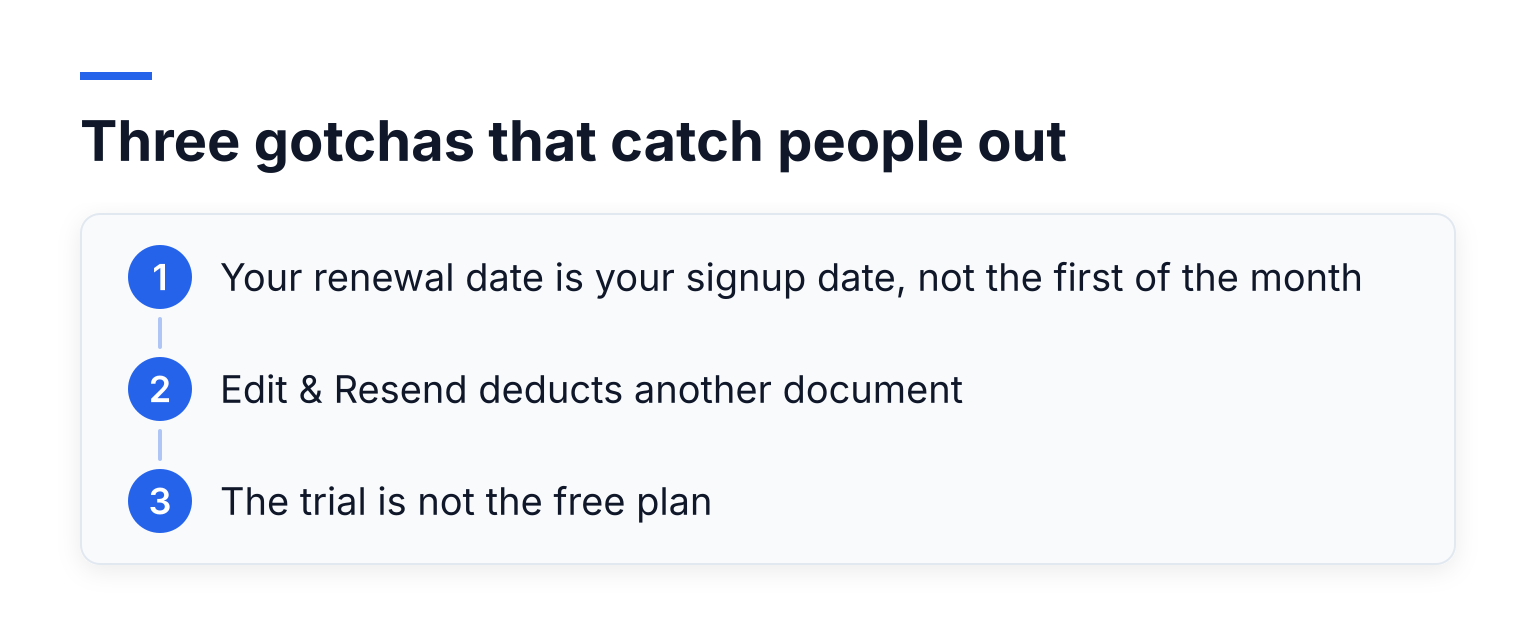
- Your renewal date is your signup date, not the first of the month. Dropbox's free document limits page gives the example directly: sign up on January 17, use all 3 requests by January 21, and you wait until February 17, not February 1.
- Edit & Resend deducts another document. If you change a document after sending it and resend it, that change takes a second request from your balance. With only 3 per cycle, one correction eats a third of your quota.
- The trial is not the free plan. The free plan stays free forever but stays capped. The 30-day trial unlocks paid features and then converts into a paid subscription.
How the 30-day free trial works
Dropbox Sign offers a 30-day free trial of its paid features. According to Dropbox's purchase page, you go through the normal checkout, enter your billing details, and the billing cycle starts when the trial ends. If you cancel within 30 days, you are not charged.
Dropbox's cancellation page notes that subscriptions are non-refundable and that cancelling a trial downgrades you to the free plan at the end of the 30 days. Set a reminder before day 30 if you are only testing.
What the paid plans cost, for context
Dropbox's pricing page lists Essentials at $15 USD per month (billed yearly at $180) for individuals, and Standard at $25 USD per user per month (starting at $600 billed yearly) for small teams. Paid plans include unlimited signature requests, and bulk sends arrive at the Standard tier and above.
So the real question is not "is Dropbox Sign free" but "is 3 requests per month enough for me, or am I really choosing between $15 a month and a different tool with a real free tier."
When 3 requests per month is enough (and when it is not)
The free plan works well if you:
- Sign one or two client documents a month
- Mostly sign documents yourself
- Only occasionally need someone else's signature
It does not work well if you:
- Send proposals, NDAs, or contracts to clients weekly
- Onboard contractors on a recurring basis
- Use templates to speed up repeated document types
A freelancer sending 4 agreements in a month is already over quota. If that is you, read on: several tools give you far more room at $0.
Free-tier comparison: Dropbox Sign vs the alternatives
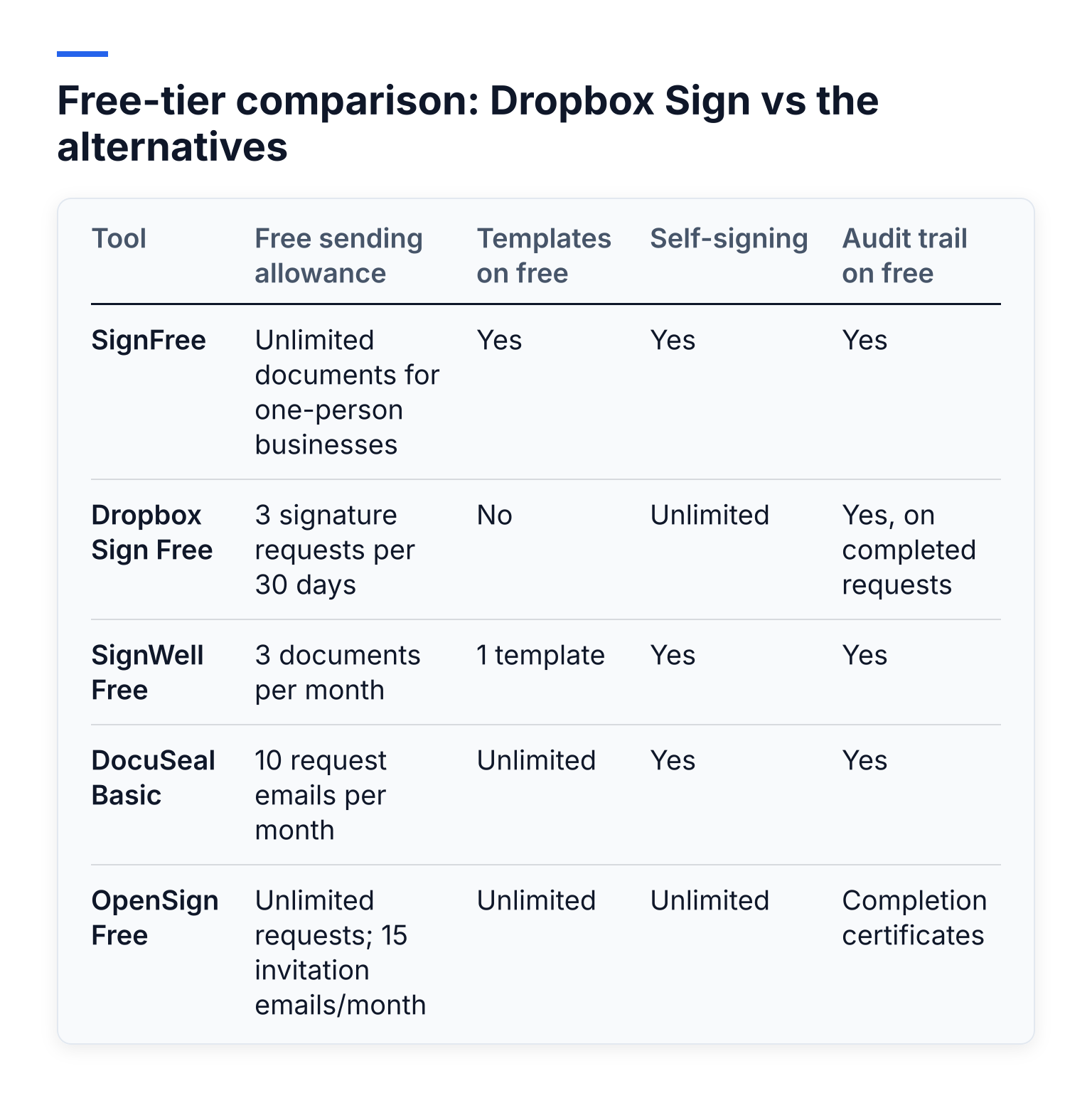
| Tool | Free sending allowance | Templates on free | Self-signing | Audit trail on free |
|---|---|---|---|---|
| SignFree | Unlimited documents for one-person businesses | Yes | Yes | Yes |
| Dropbox Sign Free | 3 signature requests per 30 days | No | Unlimited | Yes, on completed requests |
| SignWell Free | 3 documents per month | 1 template | Yes | Yes |
| DocuSeal Basic | 10 request emails per month | Unlimited | Yes | Yes |
| OpenSign Free | Unlimited requests; 15 invitation emails/month | Unlimited | Unlimited | Completion certificates |
Limits and prices in this table were checked against each vendor's own site in November 2026. Pricing changes often, so confirm on the vendor's pricing page the day you sign up.
One more tool worth a mention: DocuSign has no free sending plan. Its pricing page starts the Personal plan at $11 per month for 5 envelopes, and its free account covers signing and storing documents, not sending them for signature. We compare it in detail in SignFree vs DocuSign.
SignFree: unlimited free for one-person businesses
SignFree is built specifically for solo entrepreneurs and lean teams. The free plan is unlimited: you can upload documents, add signers, send them for signature, track completion, and store signed documents with audit trails, all without a monthly cap.
What stands out for a solo sender:
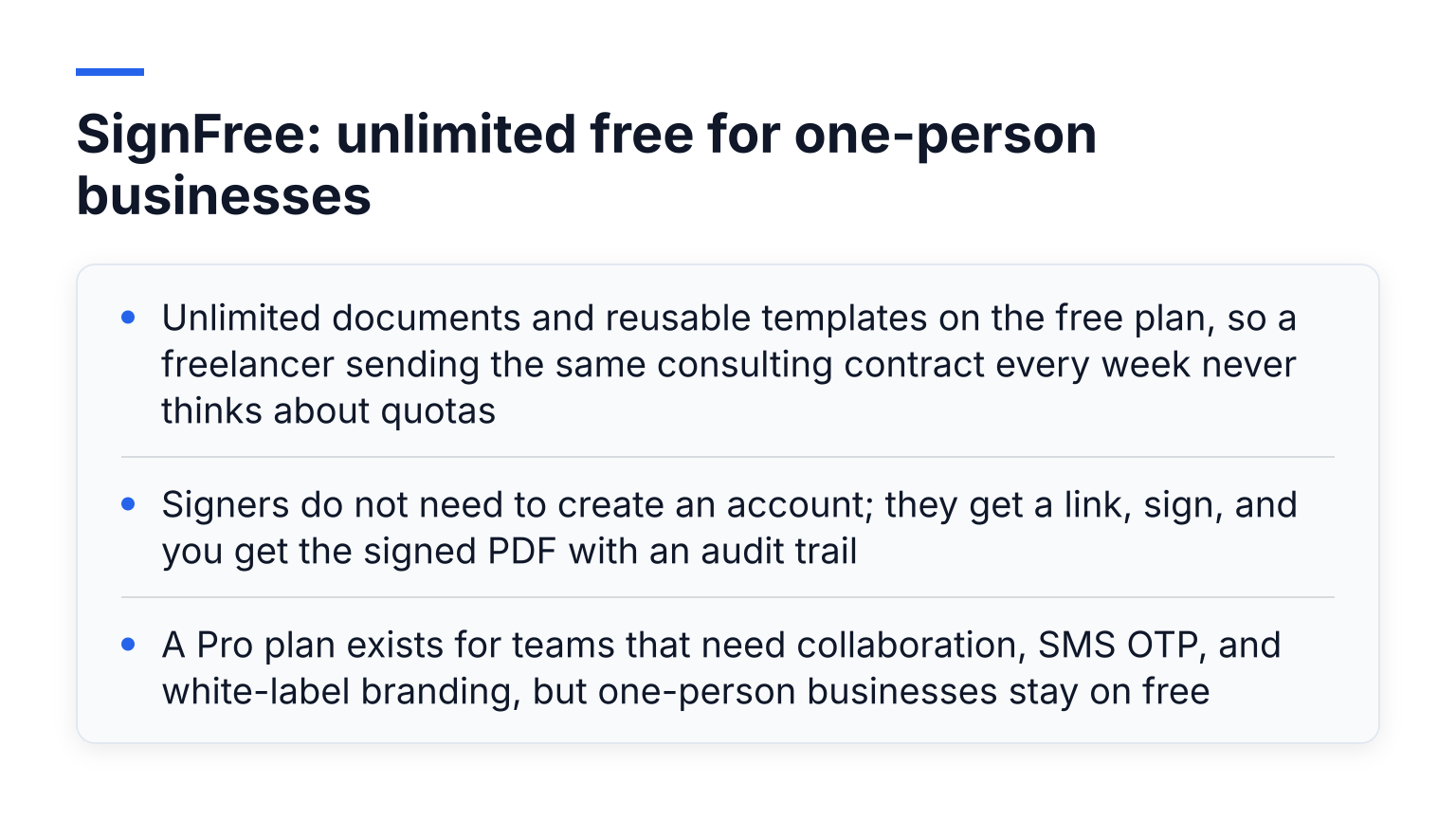
- Unlimited documents and reusable templates on the free plan, so a freelancer sending the same consulting contract every week never thinks about quotas
- Signers do not need to create an account; they get a link, sign, and you get the signed PDF with an audit trail
- A Pro plan exists for teams that need collaboration, SMS OTP, and white-label branding, but one-person businesses stay on free
The honest tradeoff: SignFree is a focused e-signature tool. It does not try to be a full document-management suite, and larger teams will eventually want the Pro features. For a solo business that just needs agreements signed, that focus is the point.
See the full breakdown in our Free Dropbox Sign Alternative comparison, or start with free e-signature, unlimited, forever.
SignWell: a generous freemium plan with small caps
SignWell has one of the clearer free tiers. According to its pricing page, the free plan includes 3 documents per month, 1 sender, 1 template, multiple signers per document, and an audit trail. Creating an account does not start a paid subscription, and new accounts get a 7-day trial of paid features before dropping to free.
The tradeoff: 3 documents per month is the same effective cap as Dropbox Sign, just with a template and a clear audit trail. If you send more than a handful of documents monthly, SignWell's Light plan at $10 per month (billed yearly, $12 month to month) unlocks unlimited documents. Its pricing page lists every limit openly, which makes comparing easy.
If you are also weighing other lightweight paid tools, our SignFree vs Signable comparison walks through the same "real free plan vs paid starter tier" decision.
DocuSeal: free forever, 10 emailed requests per month
DocuSeal takes a different approach. According to its pricing page, the cloud Basic plan is free forever with unlimited templates, unlimited document signing and storage, audit logs, and in-person signing. The limit is on outbound email: 10 request emails per month.
That 10-email cap is more generous than Dropbox Sign's 3 requests, and unlimited templates mean you can prepare everything in advance. Pro at $20 per user per month removes the email cap and adds bulk send, API access, and branding.
DocuSeal is also open source, so technical users can self-host and remove the email limit entirely. That is more setup work, but it is a genuine $0 path to unlimited sending.
OpenSign: unlimited signatures with an email workaround
OpenSign is another open-source option that advertises unlimited free e-signatures. On the free plan you get unlimited self-signing, unlimited templates, and completion certificates with audit trails.
The limit, as OpenSign's own blog explains, is 15 invitation emails per month. The workaround OpenSign itself suggests: copy the signing link and send it from your own email, which removes the cap. Paid plans start at $9.99 per month (billed yearly) and add API access, webhooks, and bulk send, per OpenSign's subscription page.
OpenSign suits readers who are comfortable working around a technical limit and want open-source transparency. If you want everything to happen inside one polished workflow with no workarounds, SignFree or a paid Dropbox Sign plan is smoother.
Which free plan fits you?
- You send 1 to 2 documents a month: Dropbox Sign's free plan is fine. The audit trail is solid, and you will likely never notice the cap.
- You send documents weekly as a solo business: SignFree. Unlimited free sending, templates, and audit trails with no workaround needed.
- You want a big template library and can live with 10 emailed requests: DocuSeal Basic.
- You are happy sending signing links from your own inbox: OpenSign.
- You need bulk sends, team features, or deep Dropbox integration: pay for Dropbox Sign Essentials or Standard, and enter the trial with a cancellation reminder set.
If you have read this far, you probably send more than 3 documents a month. Create a free SignFree account and send your next agreement without counting requests.