
Dropbox Sign vs DocuSign (2026): Pricing Models, Limits & Best Fit
Summary of the Article
Dropbox Sign and DocuSign look similar on price, but they charge for different things. Dropbox Sign sells unlimited signature requests per user, while DocuSign meters how many envelopes you send. Pick by volume, not by sticker price.
- Dropbox Sign: unlimited signature requests on paid plans; Essentials $15/mo, Standard $25/user/mo; simplest fit for lean teams that send a lot.
- DocuSign: Personal $11/mo with 5 envelopes/month; Standard $30/user/mo and Business Pro $45/user/mo on annual plans, with 100 envelopes per user per year; best fit when you need its ecosystem and compliance tooling.
- SignFree: a free-first option for solos and small teams, with unlimited signing on the Free plan, so you may not need to pay either vendor at all.
Dropbox Sign vs DocuSign: Which E-Signature Tool Fits Your Business?
You're comparing two of the best-known e-signature tools, and both price pages look reasonable at first glance. The real difference is how they count your usage. Once you understand that, the choice usually makes itself.
Quick Verdict: Who Each Tool Fits
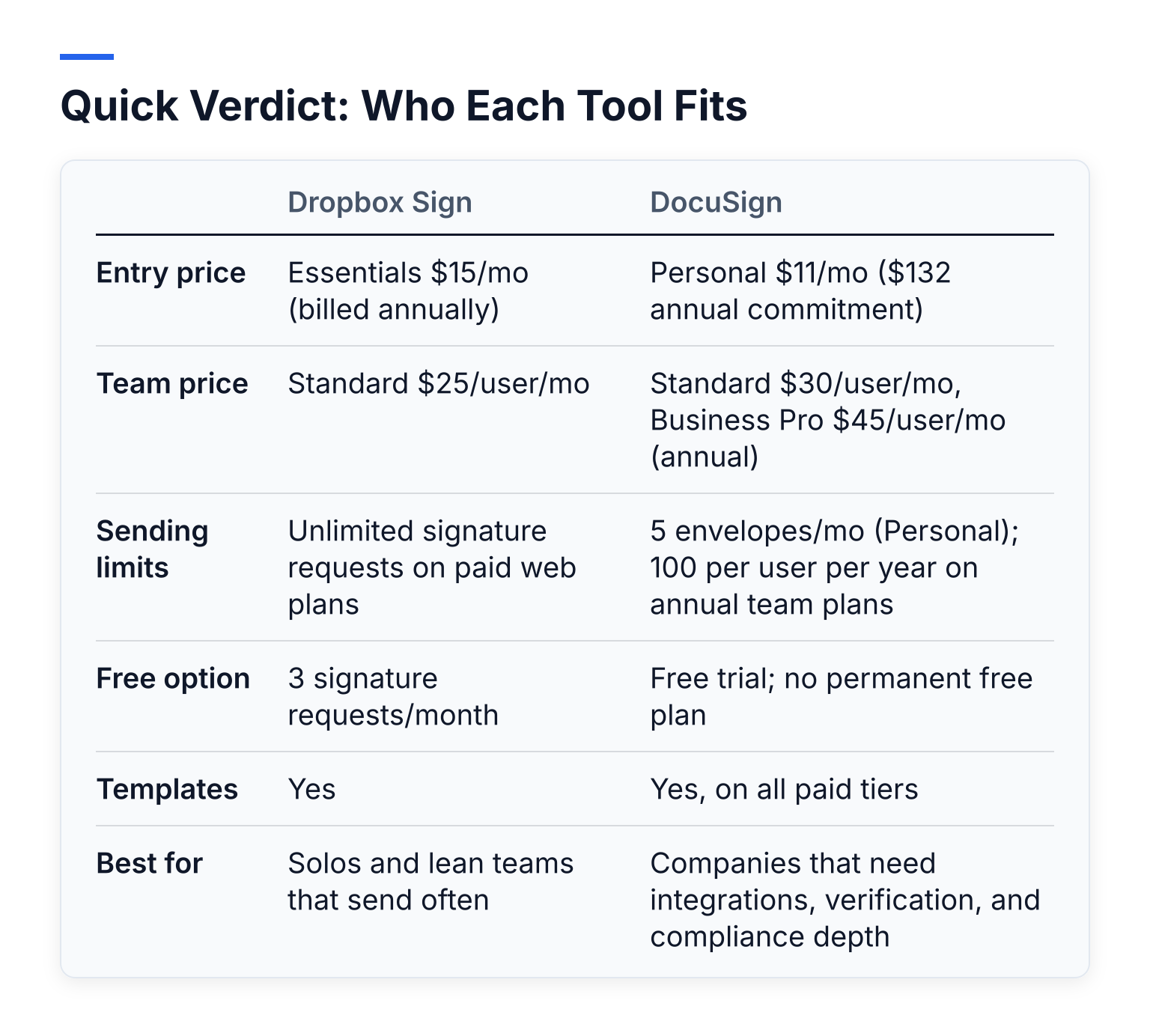
| Dropbox Sign | DocuSign | |
|---|---|---|
| Entry price | Essentials $15/mo (billed annually) | Personal $11/mo ($132 annual commitment) |
| Team price | Standard $25/user/mo | Standard $30/user/mo, Business Pro $45/user/mo (annual) |
| Sending limits | Unlimited signature requests on paid web plans | 5 envelopes/mo (Personal); 100 per user per year on annual team plans |
| Free option | 3 signature requests/month | Free trial; no permanent free plan |
| Templates | Yes | Yes, on all paid tiers |
| Best for | Solos and lean teams that send often | Companies that need integrations, verification, and compliance depth |
Short version: if you send a steady stream of contracts every month, Dropbox Sign's unlimited model usually costs less and worries you less. If your volume is low but you need DocuSign's integration ecosystem or its identity-verification options, DocuSign earns its price. And if you're a one-person business, check the free-first option near the end before paying either.
The Pricing Models Are Fundamentally Different
This is the part most comparison posts skip, and it's the part that decides your bill.
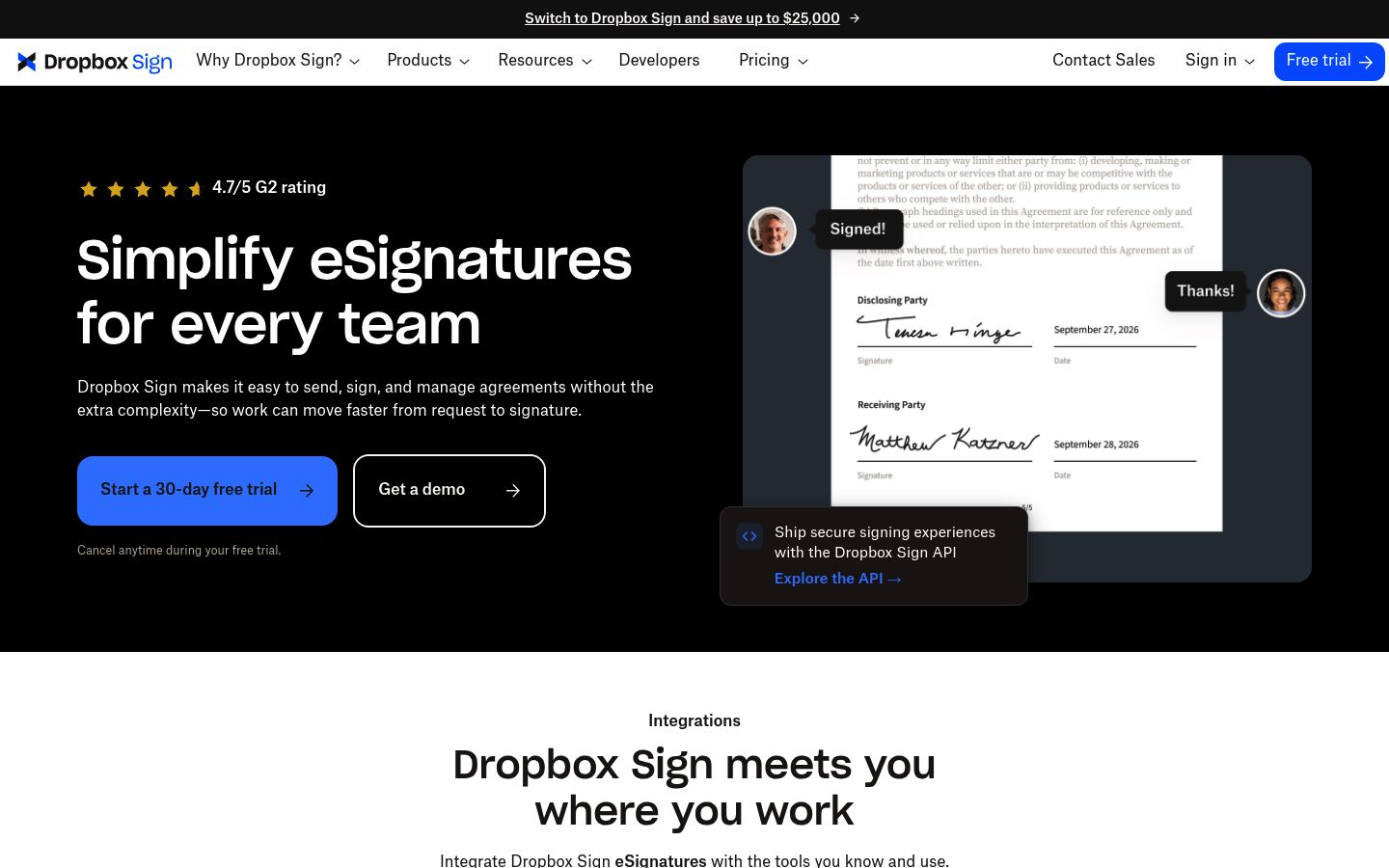
Dropbox Sign: pay per user, send without limits
Dropbox Sign prices by the seat, not by the send. Its pricing page lists three tiers:
- Essentials, $15/mo ($180 billed yearly; a first-period promo showed $10.05/mo at the time of checking): one sender, templates, and unlimited signature requests.
- Standard, $25/user/mo ($600/yr for the two-user minimum; a first-period promo showed $17.50/user/mo): small teams, with branding and team features.
- Premium: custom quote for 5 or more users, with API access and advanced controls.
On the paid web plans, Dropbox Sign says it plainly: no cap on how many signature requests you send. The promo prices you often see advertised apply to your first billing period, so budget against the standard rates.
DocuSign: pay per user, but also per envelope
DocuSign works differently. Its eSignature pricing page shows:
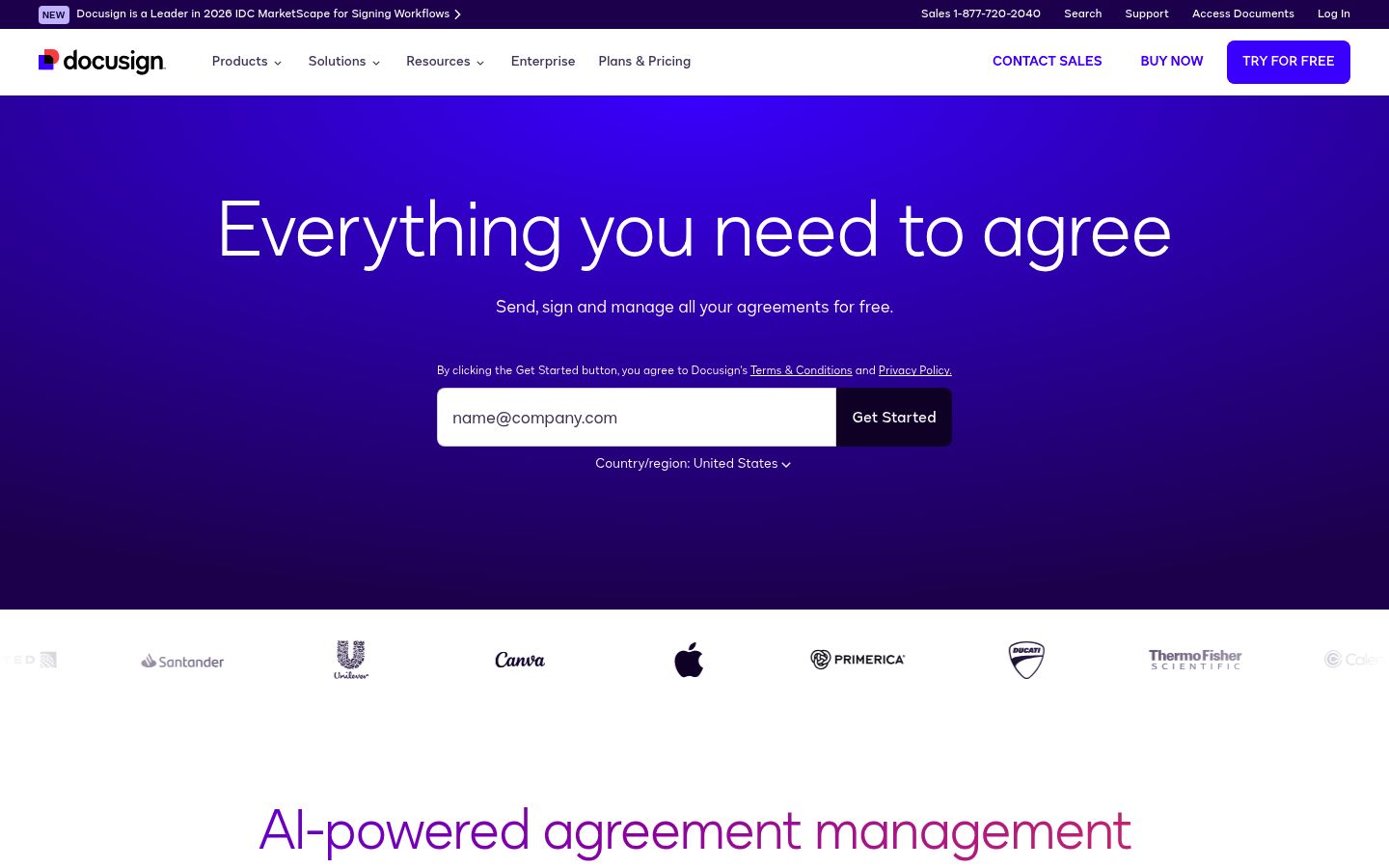
- Personal, $11/mo with a $132 annual commitment: 5 envelopes per month, one user.
- Standard, $30/user/mo with a $360 annual commitment per user: 100 envelopes per user per year, shared templates, and team collaboration.
- Business Pro, $45/user/mo ($540 annual commitment per user): the same envelope allowance, plus advanced features like web forms and bulk send.
An "envelope" is one send, no matter how many documents or signers it contains, and it counts against your allowance whether or not it gets signed.
DocuSign also sells annual plans billed up front at lower rates and monthly no-contract plans at higher rates; its own plans and pricing explainer lists the variants. The figures above are the annual commitments shown on its pricing page, so check the current numbers before you buy.
Go over your allowance and DocuSign bills the extra envelopes pay-as-you-go at a per-envelope rate set by plan, with pre-purchased envelopes costing less. Its pricing help notes pre-purchased envelopes run roughly $3 to $6.50 each, with pay-as-you-go overages from about $3.60 to $7.80 per envelope, varying by plan. That means a busy month can quietly add real money to your invoice.
For a deeper breakdown of DocuSign's tiers and limits, our guide to DocuSign pricing plans explained (2026) walks through the math.
Free Plans and Trials: What "Free" Actually Gets You
Neither tool is meaningfully free, but they differ:
- Dropbox Sign includes a free package of 3 signature requests per month, plus a 30-day trial of paid plans. Three sends a month is enough to test the workflow, not to run a business. We cover the details in our Dropbox Sign free plan deep dive.
- DocuSign offers a free trial of its paid plans rather than a permanent free tier. Once the trial ends, you're on a paid plan or you stop sending.
In practice, neither free option covers an active small business. If free access matters to you, that's a signal to look past both.
Feature Comparison
Both are mature products, so the core signing workflow is solid on each: upload a document, place fields, send, and track. The differences show up at the edges.
- Templates: Both offer reusable templates. On DocuSign they're available from Personal upward; on Dropbox Sign from Essentials upward, with template counts that grow on higher tiers.
- Bulk send and automation: DocuSign Business Pro is built for automating agreements, with web forms and workflow tooling. Dropbox Sign handles bulk sending on higher tiers. If signing is becoming a process rather than a task, DocuSign has the deeper toolkit.
- Payments: If you collect money at signing, check the current feature matrix on each vendor's pricing page for your plan tier; these features move between tiers over time, and neither vendor was tested by us.
- Identity verification: DocuSign offers stronger identity options (SMS authentication, ID checks) on Business Pro and above. Dropbox Sign includes SMS verification on higher tiers too, but DocuSign's verification and compliance stack is a common reason enterprises standardize on it.
- API and integrations: Both integrate with Google Workspace, Microsoft 365, Salesforce, and Slack, and both offer APIs. DocuSign's marketplace is larger; its own pages quote counts anywhere from 900 to 1,000+ integrations, so treat the ecosystem as "the biggest in the category" rather than quoting a single number. Dropbox Sign's advantage is native depth inside Dropbox itself, which matters if your files already live there.
If you're weighing DocuSign against a cheaper challenger rather than Dropbox Sign, our DocuSeal vs DocuSign comparison covers a different angle, including self-hosting.
Signer Experience: What Your Clients Feel
Your recipient's experience matters as much as yours, because a confused signer delays your contract.
- No account required: On both platforms, signers don't need an account. They click the email link, review, and sign. This matches what signers expect from any serious e-signature tool.
- Reminders: Both let you nudge signers automatically or manually so deals don't stall in an inbox.
- Mobile signing: Both handle signing on phones well. DocuSign's mobile app is the more polished of the two for senders on the go; for signers, the mobile web experience on both is fine.
The honest takeaway: most recipients won't notice or care which tool you used. Signer friction is not a strong differentiator here; your sending costs and workflow needs should drive the decision.
Worked Cost Example: 5 Users, 60 Documents a Month
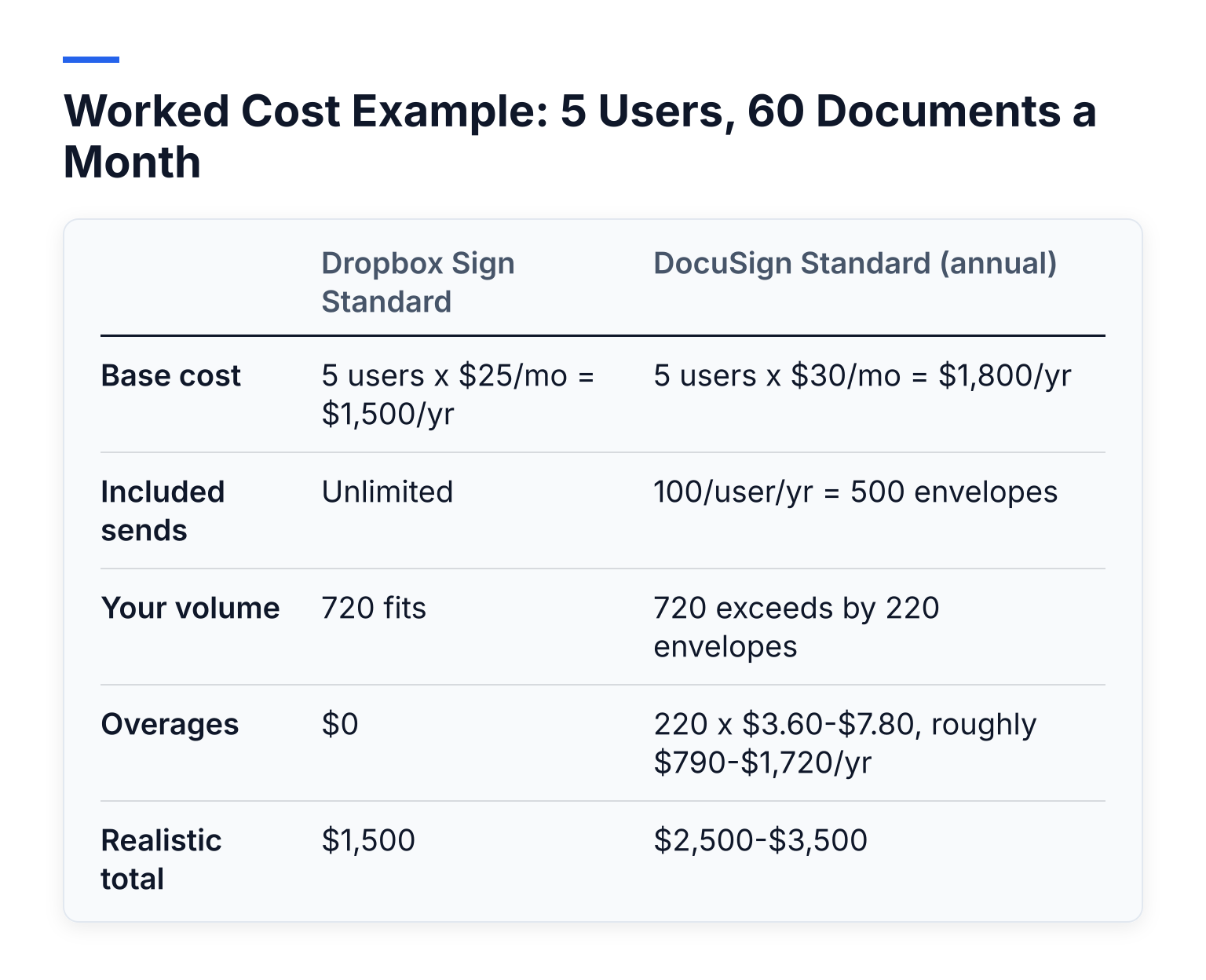
Say your five-person team sends about 60 documents for signature per month (720 a year).
| Dropbox Sign Standard | DocuSign Standard (annual) | |
|---|---|---|
| Base cost | 5 users x $25/mo = $1,500/yr | 5 users x $30/mo = $1,800/yr |
| Included sends | Unlimited | 100/user/yr = 500 envelopes |
| Your volume | 720 fits | 720 exceeds by 220 envelopes |
| Overages | $0 | ~220 x $3.60-$7.80, roughly $790-$1,720/yr |
| Realistic total | ~$1,500 | ~$2,500-$3,500 |
At this volume, Dropbox Sign wins clearly. Its list price is already lower at this team size, and the unlimited model means a busy month never adds an overage line. The envelope caps are the rest of the story.
Now flip it: a solo consultant sending 3 contracts a month. DocuSign Personal at $11/mo (36 envelopes a year against a 60-a-year allowance) fits, and Dropbox Sign Essentials at $15/mo also fits with unlimited sends. Here the prices are close enough that integrations and preference decide, not volume.
The rule: the more you send per person, the more Dropbox Sign's unlimited model pays off. The less you send, the more DocuSign's low entry tier appeals, as long as you stay under its caps.
Legal Validity: What Both Share
You don't choose between these two on legal grounds. In the United States, both produce electronically signed documents that are generally enforceable. The federal ESIGN Act's general rule is that a signature or contract "may not be denied legal effect, validity, or enforceability solely because it is in electronic form" (15 U.S.C. Chapter 96). At the state level, most states have adopted UETA, the Uniform Electronic Transactions Act, which puts electronic records and signatures on the same legal footing as paper and ink.
Both platforms also keep audit trails showing who signed, when, and from where, which is usually what matters if a signature is ever disputed.
A few practical caveats that apply to any e-signature tool: some documents, such as wills in most states, certain court filings, and specific notices, still require wet ink or special formalities; UETA itself carves out wills. And a tamper-evident audit trail is only as good as your process for storing the signed file. If compliance is your main concern, read each vendor's trust documentation directly rather than relying on marketing pages.
Best Fit by Reader Type
- Solo entrepreneur or freelancer, low volume: DocuSign Personal ($11/mo) is the cheapest credible paid option, or skip paid tools entirely, as below.
- Lean team with steady volume (like the 5-user example): Dropbox Sign Standard. Unlimited sends per seat means your bill never spikes because you had a good month.
- Growing company with compliance and automation needs: DocuSign Business Pro. Identity verification, web forms, and the largest integration ecosystem justify the metering if you use those features.
- Files already in Dropbox: Dropbox Sign, for the native workflow alone.
SignFree: When You Don't Need to Pay at All
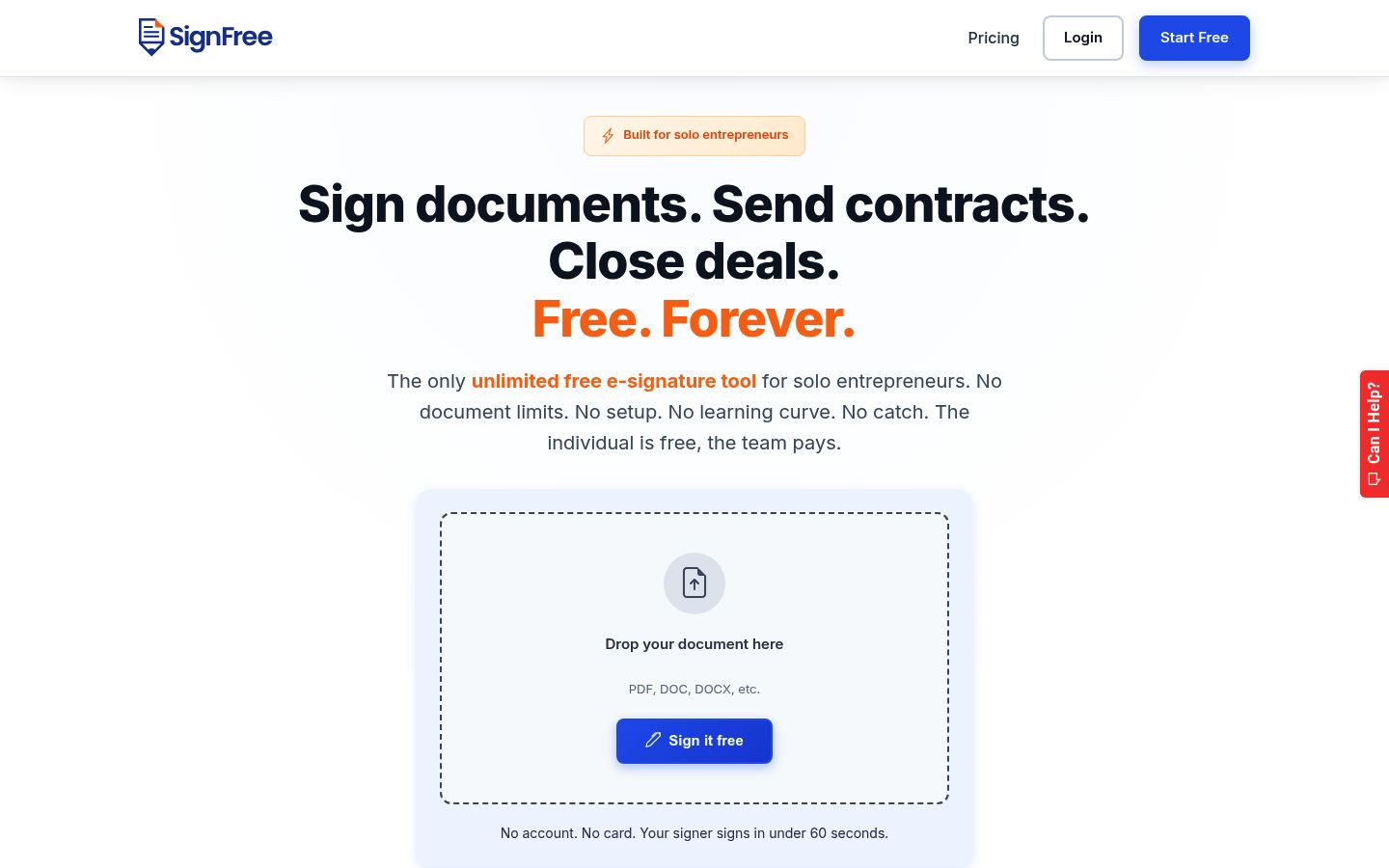
There's a third option the pricing pages won't mention: if you're a one-person business, you may not need a paid plan from either vendor. SignFree is built exactly for this case. You upload a document, add signers, send it for signature, track completion, and store the signed file with an audit trail, and the Free plan is unlimited for one-person businesses. Signers don't need accounts, and reusable templates cover recurring contractor agreements and NDAs. If you later add a team, SignFree Pro brings collaboration, SMS OTP verification, and white-label branding.
For a broader look at no-cost options, see our roundup of the best free DocuSign alternatives in 2026 or our dedicated free Dropbox Sign alternative page.
Final Recommendation
Compare sending volume, not list price. If your team sends dozens of documents a month, Dropbox Sign's unlimited-requests model will almost always cost less than DocuSign's envelope metering, and it removes overage anxiety. If you're a low-volume solo who needs DocuSign's ecosystem, Personal is a reasonable $11/mo entry point. If you're a solo who just needs contracts signed without a bill, start free instead.
FAQ
Is Dropbox Sign cheaper than DocuSign? For teams with meaningful sending volume, yes, because Dropbox Sign doesn't cap signature requests while DocuSign bills overages beyond 100 envelopes per user per year. For a low-volume individual, DocuSign Personal at $11/mo is cheaper than Dropbox Sign Essentials at $15/mo.
Which is easier to use? Both are simple for senders and signers, and neither requires signers to create accounts. Reviewers commonly describe Dropbox Sign as slightly simpler, while DocuSign offers more configuration for teams that want it. Neither was tested by us, so try both free trials or free tiers before committing.
Ready to skip the pricing math entirely? Create a free SignFree account and start signing free: unlimited e-signatures for one-person businesses, with audit trails and no per-envelope counting.