
SignFree
Add a signature to a Word document in seconds
Skip print-sign-scan. Upload the Word file you already have — or a PDF or image — place the signature, and finish. Or send a link so the other party signs on any device.
Last checked: September 8, 2026
Searching add signature to Word document usually means a .docx is sitting on your desktop and a deal is waiting. SignFree is built for that moment: upload the file, place a signature field, and you or your client can sign in seconds — no Microsoft Word add-in, no print-scan loop, no paid envelope plan for solo use.
The same flow works if the file is not Word at all. Contracts arrive as PDFs. Paper forms show up as phone photos. Screenshots of a quote get forwarded in Slack. SignFree accepts Word (.doc, .docx), PDF, and images (PNG, JPG, JPEG) in one upload, so you do not convert formats just to collect a signature.
How it works
- Upload your Word document, PDF, or image (up to 10 MB) — no export step.
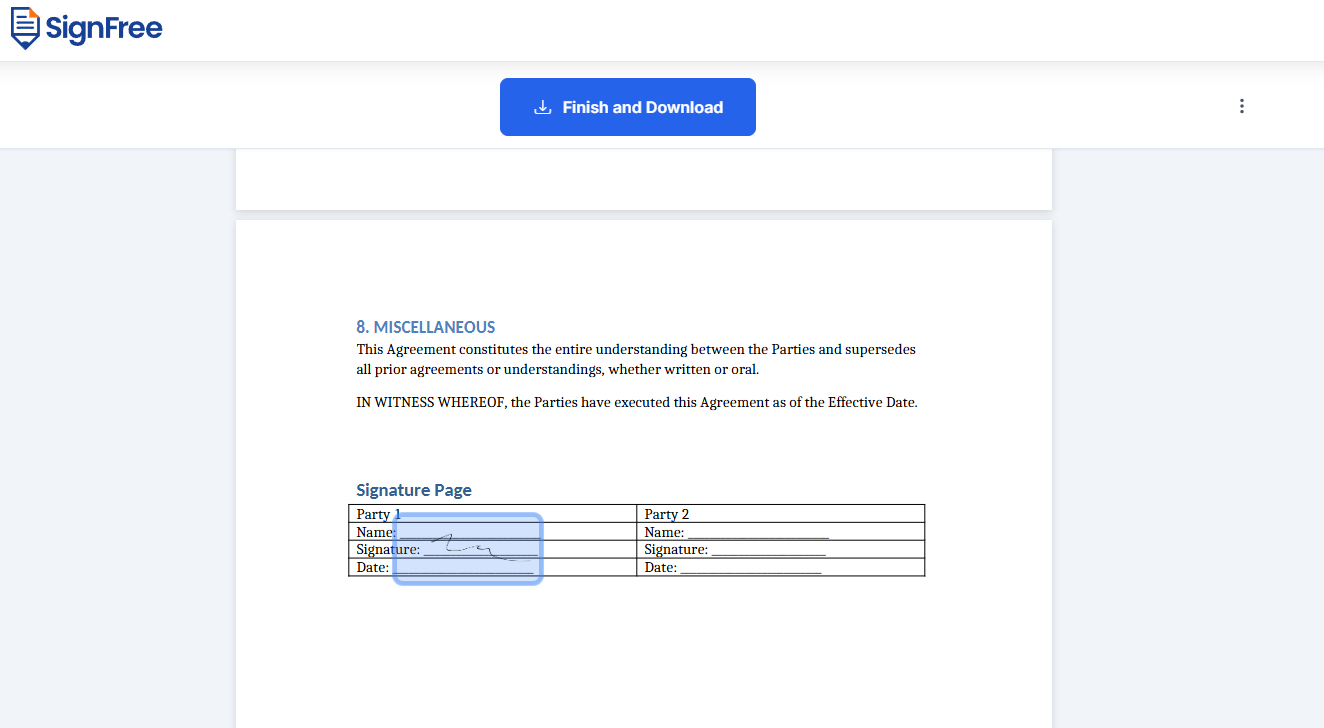
- Place signature, date, and initials fields where they belong.
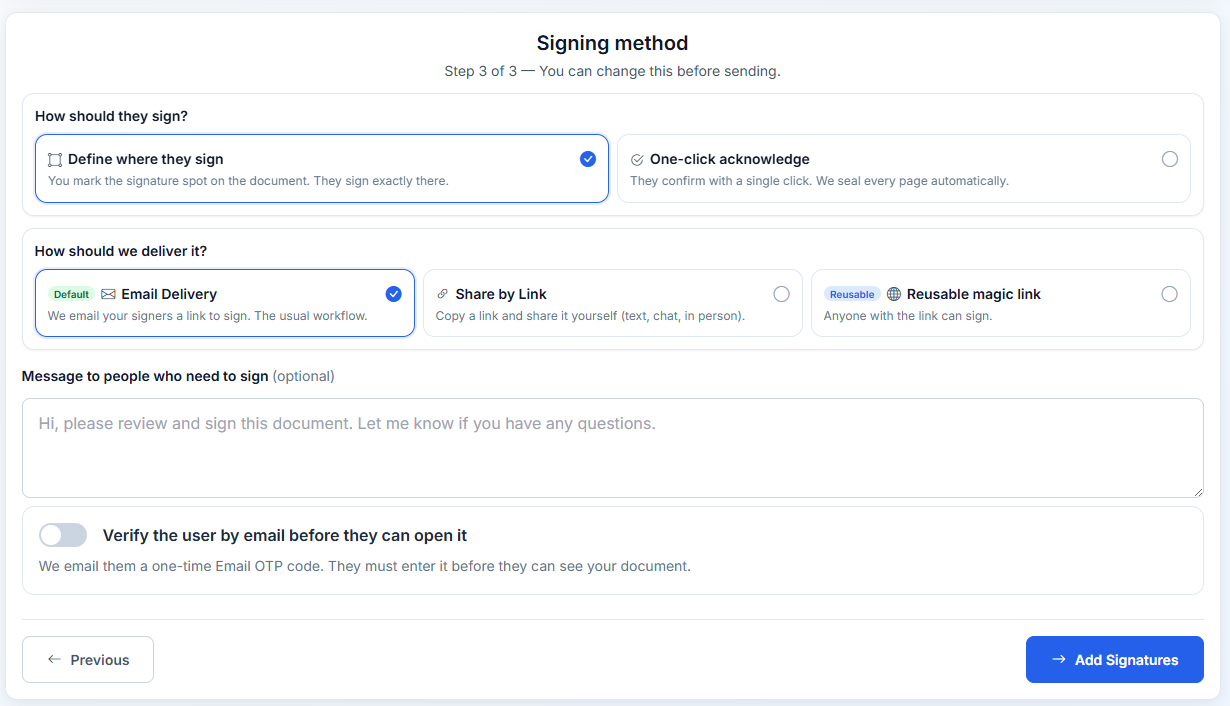
- Sign yourself, or send a link. Recipients sign in the browser with email OTP. Download the completed file.
Why adding a signature in Word is the slow path
Microsoft Word can insert a picture of a signature, or let you draw with a stylus. That is fine for a one-off letter. It is the wrong tool when you need someone else to sign, when you need a record of who signed and when, or when the file is already a PDF or a photo of a printed form.
The usual workarounds all cost time:
- Print the Word document, wet-sign it, scan it back in.
- Export to PDF, open a second app, then hope the layout still matches.
- Ask the client to “just add their signature in Word” — they often cannot, or they send back an unsigned copy.
SignFree replaces that chain with one upload. The document stays readable, fields sit where you put them, and the other party signs from a phone or laptop without installing Word.
One upload for Word, PDF, and images
Founders do not live in a single file type. A consulting MSA might be a Word template. The signed version of last quarter’s SOW is a PDF. A vendor just photographed a paper work order. SignFree treats those as the same job.
- Word (.doc, .docx) — upload the contract as written. No “Save as PDF” detour before you can add a signature.
- PDF — the format most e-sign tools expect. Drop it in and send.
- Images (PNG, JPG, JPEG) — scans, phone photos, screenshots. Place a signature on the page you already have.
That is the seamless part: you do not pick a different product for Word vs PDF vs a photo. Upload, place fields, send. Recipients never need the original app.
Sign it yourself or send it out
Self-sign in seconds
Open Sign without an account, drop in the Word file, draw or type your signature, and download. Useful for your own letters, approvals, and forms that only need you.
Send for signature
Use Quick Send when a client, contractor, or hire has to sign. Add emails, place fields, send the link. They confirm with email OTP and sign on any device — no Word license, no SignFree account.
Reuse the paperwork
Save the Word or PDF as a template once. Next NDA or proposal is a few clicks, not another export-and-reupload cycle.
What you get on Free
- Unlimited documents and signatures
- Templates, reminders, and tracking
- Multi-signer and email OTP
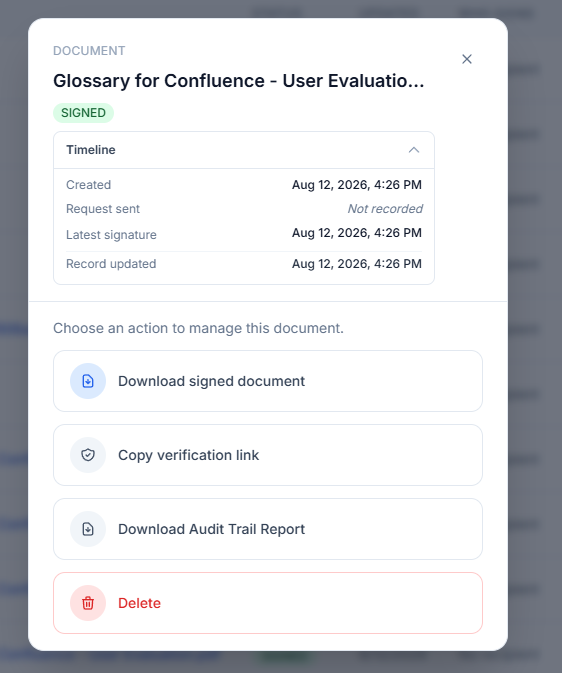
- Audit trail and signer portal
- Pro only for team, SMS OTP, and white-label
Looking for a free DocuSign alternative? See also SignFree vs DocuSign.
FAQ
Yes. Upload the .doc or .docx file to SignFree and sign in the browser, or send a link. Recipients do not need Word either.
No. SignFree accepts Word documents directly, along with PDF and images (PNG, JPG, JPEG). Upload the file you already have.
Yes. Quick Send lets you add one or more signers, place signature fields, and email a link. They sign in the browser with email OTP.
Word (.doc, .docx), PDF, and images (PNG, JPG, JPEG), up to 10 MB. You can add more than one file on a send.
No. They open the link, verify with a one-time email code, and sign. Optional Signer Portal uses email + OTP only.
Related
Start signing free
Unlimited documents on Free. Pro only when you need team, SMS OTP, or white-label.
Create free account